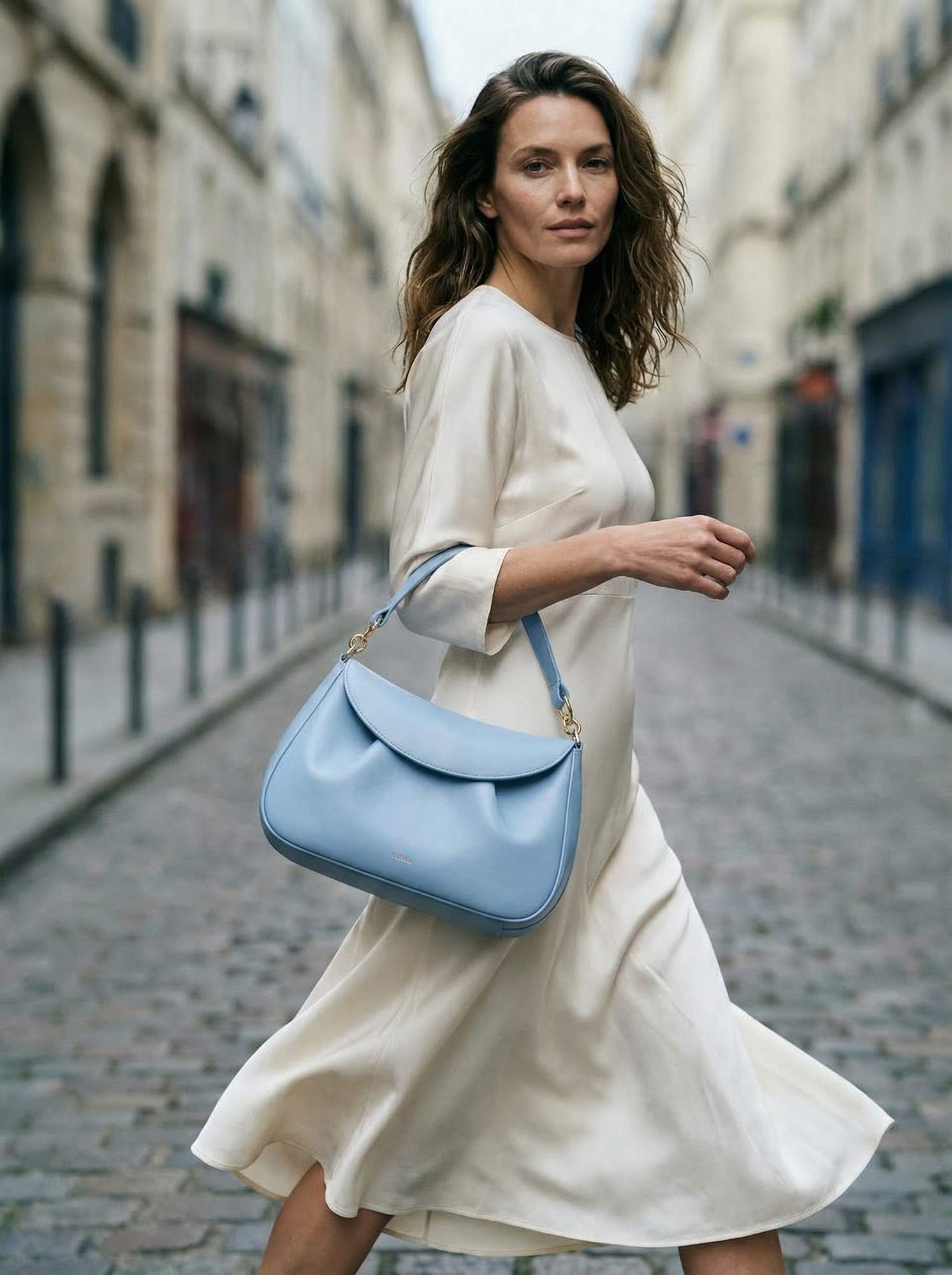
Most small businesses don't have the time or budget for regular professional photoshoots. But today, you don't actually need a studio to create high-end brand visuals. In this post, I'll show you exactly how to use AI to create elevated, editorial-style images for your brand. I use ChatGPT or Claude for creative direction and Nano Banana for image generation to build brand visuals quickly and affordably.
Save this post or come back to it when you're ready to create your own visuals.
The Backstory
Three years ago I launched a family business selling interior hardware.
I built the website myself. I ran the social media myself. I wore all the hats. And I needed images, lots of them. Product shots, lifestyle images, flatlay content, website banners. The kind of visual library that makes a brand look like it means business.
The problem was I had no budget for a photographer. The business was entirely self-funded, and every decision came down to what was essential and what could wait. Photography felt essential. A photographer felt impossible.
So I did what a lot of small business owners do. I set up props on my kitchen table. I chased the light around the house depending on the time of day. I watched YouTube videos about composition and aperture and golden hour. I tried, genuinely tried, to become a photographer in my spare time, despite the fact that I am not, by nature, a particularly artistic person.
The images were fine. Not good. Fine.
And all the while I was competing against established brands with full photography budgets, dedicated studio days, professional stylists. Their imagery looked like a brand. Mine looked good, but it took a lot of effort.
If I had had access to the AI workflow I use now, everything would have been different. Not because AI is a magic shortcut (it isn't), but because it would have given me what I actually needed: a way to produce considered, high-quality brand imagery without the budget, the equipment, or the skill set I didn't have.
This post is that workflow. Built for the version of me from three years ago, and for every small business owner currently chasing the light around her kitchen.
What This Workflow Actually Does
Before we get into the steps, one thing worth saying clearly: AI image generation doesn't remove your creative input. It replaces the part that required either money or technical skill: the execution. Your brief, your aesthetic, your brand point of view. Those still have to come from you.
Which means the first step isn't opening an app. It's getting your vision out of your head.
Start With the Vision, Not the Prompt
Most people go straight to the image generator and start typing. The results look exactly like that approach: generic, directionless, interchangeable with a thousand other brands.
Before you touch any tool, get your brand vision into some form. There are two ways in.
Option A, the image route. Pull two or three reference images that capture the feeling you want your brand to have. They don't need to be product shots. A room, a magazine page, a photograph you've saved and never quite known why. What you're looking for is a mood: the emotional register your brand lives in. That's your starting point.
Option B, the one-paragraph route. Write a single paragraph describing how your brand should feel, not what it sells. Quiet and considered. Tactile. The kind of brand that feels like it's been around for decades even though it hasn't. Warm without being rustic. Confident without being loud. Save the product list for the next step.
One of these will feel more natural to you. Use that one. The goal is to have something concrete before the AI gets involved, because the AI will faithfully produce exactly what you describe, and if you haven't described anything worth making, that's what you'll get.
The Workflow: Four Steps From Vision to Brand Image
Step 1: Brief ChatGPT or Claude
Open ChatGPT or Claude. Not the image generator, your AI thinking partner. This step is about turning your vision into a prompt that's actually worth generating from.
Coming from Option A? Upload your reference images directly. Both tools can analyse visuals. Ask it what it sees atmospherically. What mood is this image creating, and what specific choices are producing that feeling? Use its read to build language around what you've been responding to visually. Correct it where it gets things wrong. You'll find you know more about your own aesthetic than you realised when you have to push back against something that's slightly off.
Coming from Option B? Paste your paragraph in and ask it to translate feeling into specifics. What lighting produces that atmosphere? What surfaces and props carry that mood? What composition choices create that level of quiet confidence?
Either way, push back on anything vague. If it says "neutral tones," ask it to be precise. Warm stone, chalk white, soft charcoal. If it says "natural textures," make it specific. Aged linen, unfinished oak, matte ceramic. The prompt you're building should feel like a brief a photographer could actually work from.
Step 2: Clarify your direction
Before generating anything, run your prompt through four variables:
- Colour: specific tones, not categories. Name them.
- Surfaces and props: what's in the frame and what does each thing feel like to touch?
- Light: where is it coming from, what quality does it have, what time of day does it suggest?
- Use case: website hero, Pinterest pin, product launch post? Each needs a different composition and crop ratio.
Ask your AI to tailor the prompt to your image generation tool of choice. I use Nano Banana. It will tailor the prompt specifically to that tool, as they all like slightly different formats.
Five minutes here saves you three rounds of generating images that are almost right but not quite.
Step 3: Generate in Nano Banana
Paste your refined prompt into Nano Banana and generate three to five variations. Don't settle for the first result. Look for the image that best captures the direction you briefed, not simply the most polished one technically.
Nano Banana is accessible via Gemini or through OpenArt.ai. For editorial-quality product and lifestyle photography the output is consistently strong: photorealistic, considered, and significantly less likely to produce the slightly uncanny results that make AI images obviously artificial.
Step 4: Select and refine
Choose the strongest direction and iterate from there, not from scratch. If the surface reads too cool, warm the description. If the composition feels cluttered, add negative space to your brief. If the light is wrong, describe the light you actually want.
This is a photoshoot, not a lottery. Treat it like one.
What Makes a Prompt Actually Work
Three things consistently separate images worth using from images worth discarding:
Lighting specificity. Light does more emotional work in a product image than any other variable. Soft diffused window light from the left feels entirely different from a single overhead source or late-afternoon warmth. Name the light in every prompt.
Texture contrast. The best product imagery has layered texture: ceramic against linen, glass against timber, matte against gloss. Tell the AI exactly what's in the frame and what each surface feels like.
Negative prompting. Tell the tool what you don't want. This is the most underused technique in AI image generation and one of the most effective. For a premium product flatlay: no cluttered composition, no bright white studio backgrounds, no artificial-looking botanicals, no harsh shadows. You're directing away from everything diluting the result, not just toward something better.
A Note on Honesty
I have no issue saying my brand images are AI-generated. None.
What matters is that the product itself is represented accurately, that the quality is high, and that the images are made thoughtfully, with the same care you'd bring to a proper photoshoot brief. AI imagery made lazily looks lazy. AI imagery made with intention looks intentional.
The tool doesn't determine the quality. The brief does.
Where These Images Go
Once you have a library of on-brand AI-generated images, the use cases multiply quickly: website and shop imagery, Pinterest content, launch campaigns, social media. Consistent visual language across everything, produced without a studio day or a photographer's day rate.
For a self-funded small business competing against brands with proper budgets, that's not a small thing.
The prompt is just the starting point. Your brief is what makes the result feel considered.